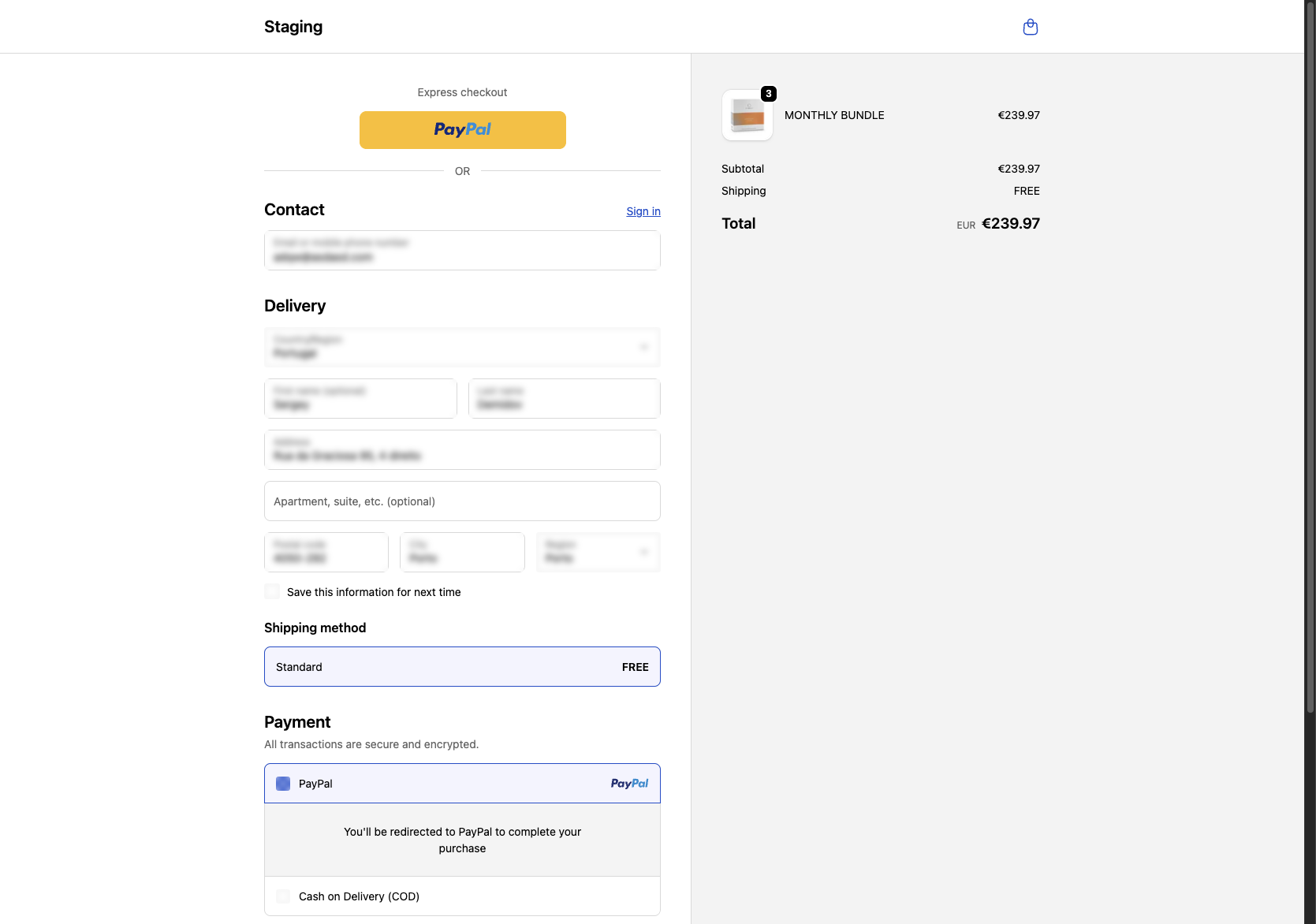
How to Select PayPal for Payment
This workflow guides you through choosing PayPal as your payment method by clicking the PayPal option under the Payment section.
1
Select PayPal Payment Option
Click the 'PayPal' option under the Payment section to choose PayPal as your payment method.
You will be redirected to PayPal to complete your purchase.
2
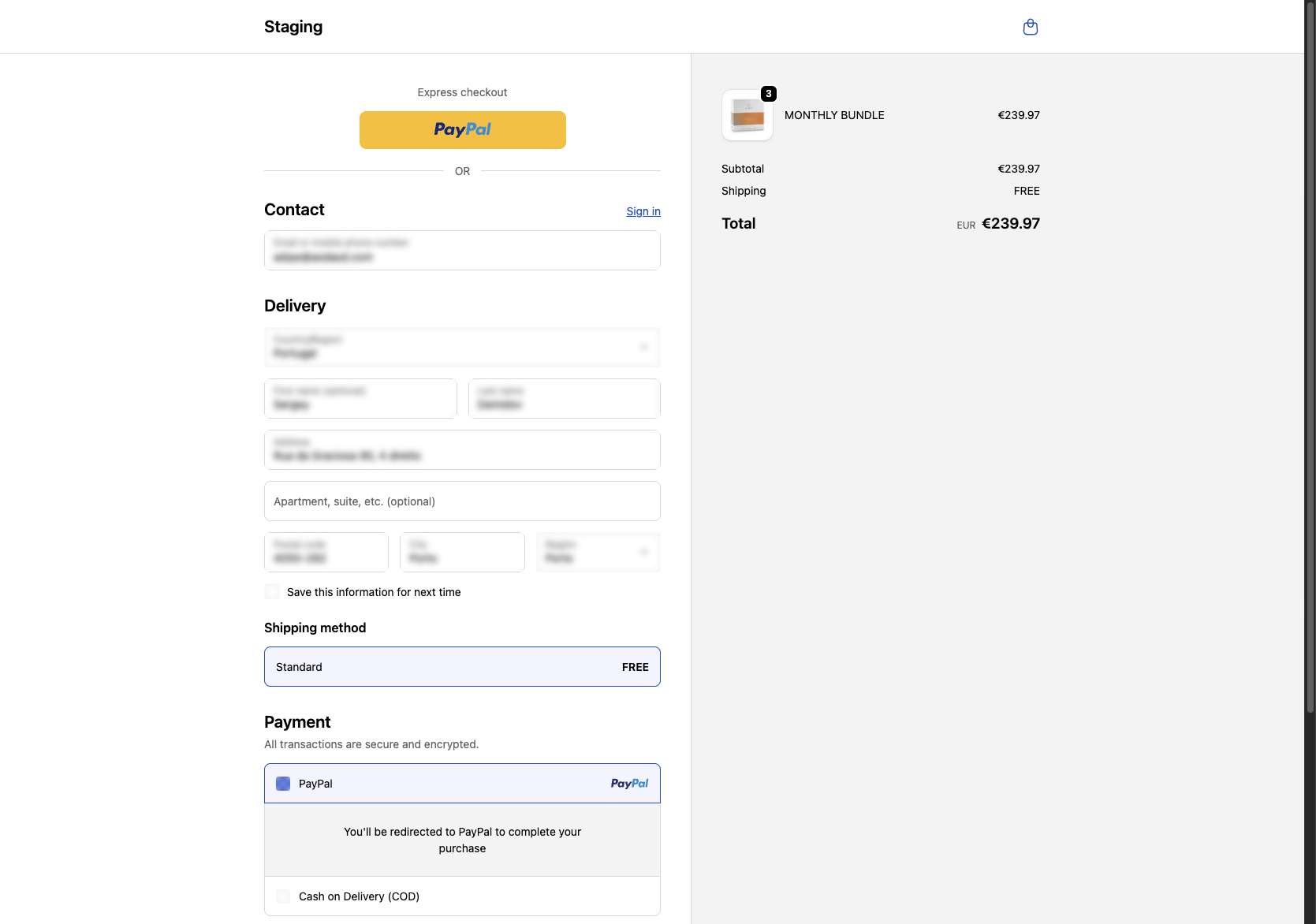
Choose PayPal for Payment
Click the PayPal button under the Payment section to select PayPal as your payment method.
You’ll be redirected to PayPal to finish your purchase.